很简单的一个小程序,连接ppp的vpn之后在ipconfig会有一个
PPP 适配器 VPN 连接:


   连接特定的 DNS 后缀 . . . . . . . :

   IPv4 地址 . . . . . . . . . . . . : 172.16.36.2

   子网掩码  . . . . . . . . . . . . : 255.255.255.255

默认网关. . . . . . . . . . . . . : 0.0.0.0若不存在就执行 ipconfig /release
禁用所有网卡
保存为xx.py 双击运行
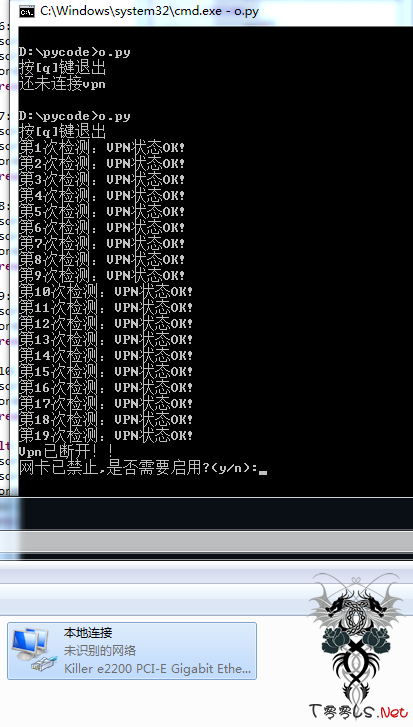
大概运行结果如图
#coding=utf-8

import msvcrt

import time

import os

x=0

print "按[q]键退出"

vpn=os.popen("ipconfig |find \"VPN\"").read()

if vpn=="":

        print "还未连接vpn"

else:

        x=1

while x:

        key=""

        time.sleep(0.1)

        if msvcrt.kbhit():

                key=msvcrt.getch()

        vpn=os.popen("ipconfig |find \"VPN\"").read()

        if(vpn==""):

                os.popen("ipconfig /release").read()

                print "Vpn已断开!!"

                opt=raw_input("网卡已禁止,是否需要启用?(y/n):")

                if opt=='y':

                        os.popen("ipconfig /renew").read()

                        print "网卡已启用"

                exit(1)

        else:

                print "第%d次检测:VPN状态OK!"%(x)

        x+=1

        if key=="q":

                print "Exiting..."

                exit(1)

                #os.system("ipconfig /renew")